How to Add Music to a Video Without Drowning Out the Voice
Import your video, add music on a separate track, lower it beneath speech, trim the ending and export. Hear what a clearer mix sounds like, then follow the controls below.
- Written by
- Shaad Sufi
- Published
- Reading time
- 11 min read
Great track. Where did the words go?
You’ve finished the edit. You drop in a track you love, press play—and suddenly the person speaking has to compete with it. Turn everything down and the words disappear too.
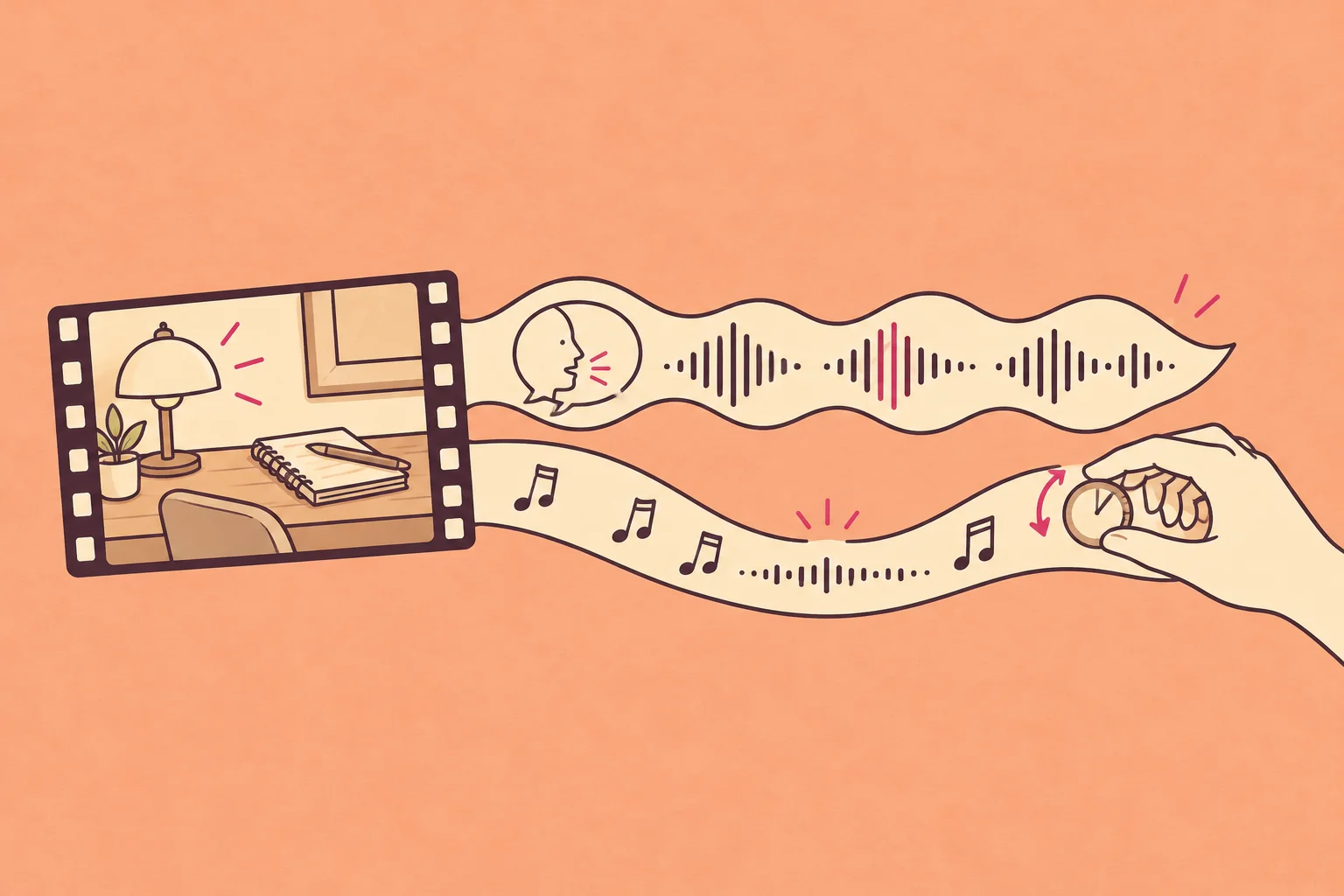
This guide is for creators and teams editing narrated videos, demos and social clips. You’ll learn how to add music to a video, keep the original voice and give the ending a clean finish. Start with this eight-second desk reset: can you catch the whole sentence without leaning in?
Follow the whole sentence. Then listen to the music take over in the last shot.
Transcript and example notes
“I finally made this little corner feel like me.”
Illustrative AI scene, prepared for listening comparisons. The second mix adds music beneath the same narration. The ending comparison uses a shorter music-only cut, with and without a fade. Prompts illustrate how to request changes.
How to add music to a video: the short version
- Import your video and a music track cleared for your use.
- Layer the music beneath the video; keep the original voice enabled.
- Balance the music against the quietest sentence.
- Trim and fade the ending so it fits the picture.
- Export an MP4, then play that file on your phone.
No speech in your video? Let the music lead. Match a musical change to a reveal or cut, keep useful scene sounds, and skip the speech-ducking step. Hear a music-only ending below.
From your video to a finished MP4
Here’s one practical route on a computer: Wubble supplies the music inside Adobe Express; Adobe Express combines it with your video. You’ll need an Adobe Express account and a Wubble account for the add-on. Check the current add-on terms for included usage.
- Open your video. In Adobe Express, choose Start from your content, upload the video and select Edit video.
- Find your music. Open the Wubble add-on. Use Create for a custom brief or Explore to audition a track. Select Insert on your choice.
- Fit it to the picture. Select the audio track below the video. Drag its handles to trim the duration, then play the opening and final shot.
- Keep the words clear. Select the music track and reduce Volume. Use Fade → Out for a gentler ending. Keep the video's original sound enabled if you need its speech.
- Save the video. Choose Download → File format → MP4. Open the saved file and check the voice, music and ending.
Already have a soundtrack from Wubble Studio? Use Add content → Media → Audio → Upload from device, then continue from step 3.
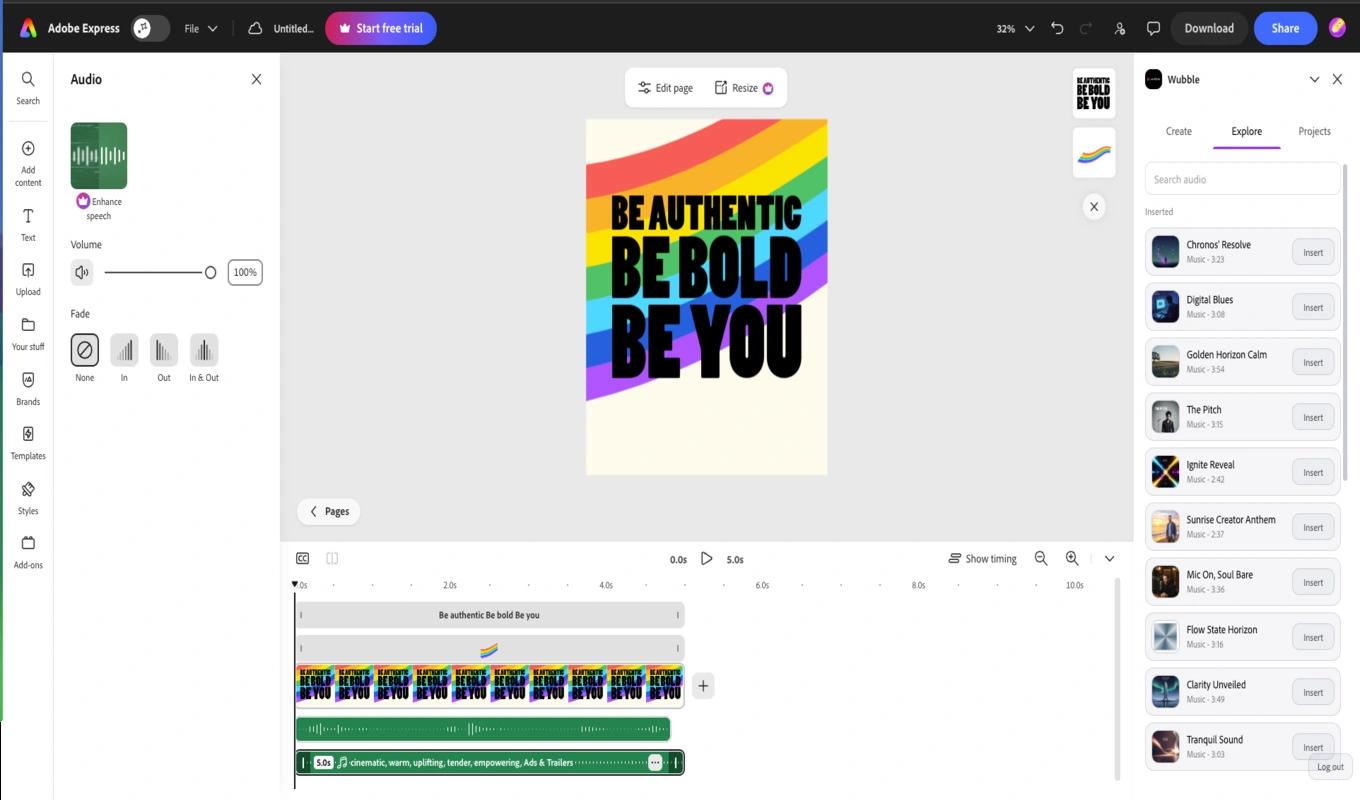
Preview first. Insert your choice.
Explore shows the music library beside your project. Audition a track, then use its Insert button to add it to the timeline.
Open the add-onProduct screenshots show a design project; the controls also apply to video. Interface labels may vary by version.
See the full editor
Add music on your phone or computer
Open the instructions for your device. Keep the video’s sound on if it contains speech; adjust the added music separately.
iPhone · iMovieAdd a soundtrack and save to Photos
How to add music to a video on iPhone
- Create the movie. In iMovie, choose Start New Project → Movie, select your video, then Create Movie.
- Add music. Tap Add Media (+) → Audio → Soundtracks. Preview a track, then tap Add Audio (+). For your own audio, choose iCloud Drive instead.
- Balance it. Select the music clip → Audio and lower its volume. Leave the video’s audio enabled. Tap Fade and drag the end handle for a softer finish.
- Save it. Return to the project browser → Share → Share Video → Save Video. Play the result in Photos.
Song unavailable? Download it to your device first; DRM-protected songs cannot be used in iMovie.
Apple’s instructions: add music · volume and fades · save video.
Android · Google PhotosMake a quick highlight video with music
How to add music to a video on Android
- Choose the footage. In Google Photos, tap Create → Highlight video → Select content. Select your clips and tap Next.
- Choose the music. Open the highlight video’s editor and tap Add Music. Use Section to choose where the song starts.
- Keep the voice. Open Volume and adjust Video audio and Soundtrack separately. Play the quietest sentence before saving.
- Finish. Tap Save, wait for processing and play the saved highlight video.
For a client or ad? Google’s supplied highlight music is for personal, non-commercial use. Use your own appropriately licensed soundtrack; downloaded audio needs music-and-audio permission in Android Settings. Older devices may not support highlight videos.
Windows or Mac · Clipchamp in a browserUse separate tracks for more control
How to add music to a video on a computer
- Import both files. Open a Clipchamp project and upload your video and music, or choose a track from its content library.
- Layer them. Place the video on the timeline, then drag the audio onto a track beneath it.
- Fit and balance. Trim the music’s edges to the video. Select the music to lower its volume and apply an ending fade; leave the video’s own audio on.
- Export. Save the finished video at a suitable resolution, such as 1080p. Open the saved file to check the mix.
Own soundtrack? MP3 or WAV is a straightforward starting point. Check whether any selected stock asset requires a paid plan.
Clipchamp’s illustrated audio guide. For custom Wubble music, use the Adobe Express route above.
Already uploaded · YouTube StudioAdd a library track to an existing video
How to add music to a video already on YouTube
- Use a computer. In YouTube Studio, go to Content, select your video, then Editor → Audio.
- Find a track. Search the Audio Library, preview a song and select Add.
- Place it. Drag the track to set its start; drag its edges to set how much plays. Preview the whole edited section.
- Save carefully. Keep a local original first: saved Studio edits no longer have a Revert to original option.
Want your own music file? Add it in a video editor before uploading. This Studio route uses YouTube’s Audio Library and is not available in the YouTube mobile app.
Menus vary by app version. Whichever route you choose, check the saved video, not just the timeline preview.
Choose for the scene, not your playlist
For a desk reset, a huge cinematic build would promise a bigger event than the picture delivers. A warm, restrained instrumental leaves room for a personal line. Audition music while the video plays—a great song in isolation can be the wrong soundtrack.
| The video’s job | Try | Watch out for |
|---|---|---|
| Explain a task | Sparse, steady instrumental | Vocals or busy melodies competing with instructions |
| Reveal a product | A clear lift at the reveal | The musical payoff arriving before the picture |
| Tell a personal story | Small, warm arrangement | Music making an intimate moment feel like an ad |
| Teach a difficult idea | Very light music—or silence | Filling every pause because it feels empty |
If an existing licensed track fits, use it. If just one instrument gets in the way, hear how music stems let you change that layer. If you need a different arrangement or a particular reveal, that’s a useful brief for custom music. For a campaign-specific example, see our guide to AI music for ads.
Let the words lead. Let the music return.
Ducking means lowering music while someone speaks, then bringing it back. In our film, the opening establishes the mood, the line takes focus, and the last shot belongs to the music. The narration itself stays unchanged.
In a timeline editor, add volume keyframes around the sentence: ease down just before it, stay lower through the last word, then rise smoothly. If your editor offers automatic ducking, preview its transitions; a fast rise between every word can sound distracting.
Let the music introduce the small, warm space.
“Keep my voice. Change the music underneath.”
In Wubble, attach your video and describe the mood, the duration and the moment that matters. You can use a reference you have permission to provide, then refine the result in conversation.
Start with this brief
“Add warm instrumental music to this eight-second desk-reset video. Keep my narration unchanged. Leave space under the sentence, then let the music lead for the finished desk. No vocals.”
Then make one revision: “Lower only the music during my sentence. Keep its warmth; bring it back for the final shot.” Compare against the original at the same device volume. The opening listening example shows the balance you’re aiming for.
Don’t let the last note fall off a cliff
A 30-second video doesn’t need the first 30 seconds of a song. Look for a phrase with a beginning and a landing. Place the landing at your final image, then work backward.
- Track too long? Choose a better section, trim it and fade the tail. A fade softens the stop; it won’t turn an unfinished phrase into a resolved one.
- Track too short? Repeat a compatible phrase and crossfade the join, or request a longer arrangement. Check that the rhythm doesn’t stumble.
- Cut changed? Recheck the reveal and ending. A shorter export can move the most important moment.
Try this shorter, six-second music-only cut. The first version stops at full track level; the second fades during the final second. Which makes the stop feel less sudden? A fade softens the cut; it doesn’t compose a new ending. For a musical resolution, ask: “Keep this style, but have the final phrase settle before the video ends.”
Listen to the final second. The music continues at its track level until the video stops.
Keep the voice. Replace only what you mean to.
| You want to… | Keep original audio? | Do this |
|---|---|---|
| Add music beneath speech | ✓ Yes | Put music on a separate track; lower that track. |
| Replace unwanted camera sound | ✕ No | Mute the original only after checking it contains nothing you need. |
| Replace music already mixed with speech | Keep the speech | Use the original separate tracks if possible. Separation may leave artifacts. |
If the voice and old music are baked into one recording, turning that recording down lowers both. Don’t stack another song on top and expect a clean result. Return to the source project first.
Check the license before the final edit
Check whether the music covers your platform, commercial use and client work, and whether attribution is required. Save the license with the project so someone else can publish it later without guessing.
YouTube’s Audio Library shows which tracks require credit. Don’t assume music offered inside one social app is cleared for every other channel or a paid campaign.
Wubble audio is royalty-free under the applicable subscriber license; confirm your plan and intended use. Royalty-free doesn’t mean exclusive ownership or a guarantee against every automated claim. Keep the source file and licensing record.
The real test is the file you’ll post
Keep an editable project with voice and music separate. Export the finished video with audio enabled, using settings suited to your destination. MP4 with H.264 video and AAC audio is a common delivery choice; preserve the source frame rate and check platform requirements.
If you’re creating the soundtrack in Wubble, download the approved audio, place it in your video editor and export the combined video there. Don’t mistake an audio download for a finished video.
| What you notice | First fix |
|---|---|
| Words disappear on a phone | Lower or simplify the music during speech. |
| Music pumps between words | Use a gentler return; treat the sentence as one passage. |
| A click at the edit | Add a tiny fade or adjust the cut point. |
| The export is silent | Check track mute states and whether audio was included. |
| The music distorts | Reduce the level before export; check the source too. |
Play the first second, the quietest sentence and the ending. Listen on headphones and a phone speaker at a comfortable low volume. If the message still lands, the music is doing its job.
Want to build the rest of the scene? Our sound design guide explains the layers; the Foley guide brings small actions to life.
A few things people get stuck on
How can I add music to a video for free?
Use an editor that includes free audio editing, such as iMovie on a supported Apple device, and music you’re permitted to use. Check separately for paid stock tracks, export restrictions and commercial-use terms.
Can I add music without removing the original sound?
Yes. Keep the original video audio enabled and put music on a separate track. Lower the music beneath speech instead of muting or lowering the whole video.
What volume should background music be?
There is no universal percentage: tracks start at different loudness levels, and a busy arrangement can mask speech even when it is quiet. Start low, listen to the softest words, and bring the music up only as far as they remain easy to follow.
Can I use a song from Spotify or another streaming app?
A listening subscription doesn’t establish permission to synchronize a song with your video. Use a source with appropriate video-use rights or obtain permission for the intended use.
Can I add my own song to a video already on YouTube?
YouTube Studio’s audio editor uses tracks from its Audio Library. For your own licensed song, mix it into the video before uploading. Keep a local master before editing an existing upload.
Can AI fit music to my video?
You can give Wubble a video or a brief and request music for its mood, length and key moments. Review the result against the actual cut, then refine the timing, level or arrangement. A requested duration still needs a listening check.
Sources and further help
- Adobe Express: import and export video, add and trim audio, and volume and MP4 download. See Wubble’s Adobe Express walkthrough for the original product screenshots.
- Apple: add music and soundtracks in iMovie.
- Clipchamp: add audio to video and Google Photos: create and edit highlight videos on Android.
- YouTube: add an audio track and Audio Library licensing and attribution.
- Wubble: music from media, voice and music mixing and creator workflows.
Instructions and sources checked 13 October 2026.