Give your AI agent a voice that belongs—with Wubble streaming speech
- Written by
- Shaad Sufi
- Published
- Reading time
- 9 min read

Why choose Wubble for your agent’s voice?
There is no shortage of ways to give an AI agent a voice. Choosing one gets more interesting when you have to put it in front of real customers. Will it sound familiar in their language and accent? Can you use the audio commercially? What happens to the bill when a quick confirmation becomes a detailed answer?
Those are the decisions behind Wubble’s streaming speech API. We bring royalty-free audio, localized voice choices and simple call-based pricing into one integration, with no separate charge for streaming. Your agent can begin speaking while the rest of its audio is still being generated.
Here is what that means for the product you are building:
- Royalty-free audio for commercial work. Use generated speech under your plan’s license, without an ongoing royalty each time someone hears the audio.
- A voice that feels closer to your audience. Explore Wubble’s broader library of 3,000+ studio-quality voices, including localized accents. Select an available streaming voice for the language and region you serve.
- More room for a useful answer. A short confirmation and a longer explanation each use one billable API call when sent as one request within the input limit. The billing unit stays the same as the reply grows; there is no character meter or streaming surcharge to add.
- A straightforward path into your agent. Send reply text and a voice ID to one HTTP endpoint, then play the audio as it arrives. Start in the playground and take the same request shape into your application.
Imagine a delivery assistant confirming a time in a familiar local voice, then patiently explaining how to change the booking. Both replies should feel like part of the same conversation. Their different lengths should also be easy to account for. That combination of voice choice, usage rights and predictable billing is why Wubble deserves a place on your shortlist.
Here is how it works, what the pricing means for your workload, and how to try it with the next thing your agent needs to say.
Speech that arrives as it is made
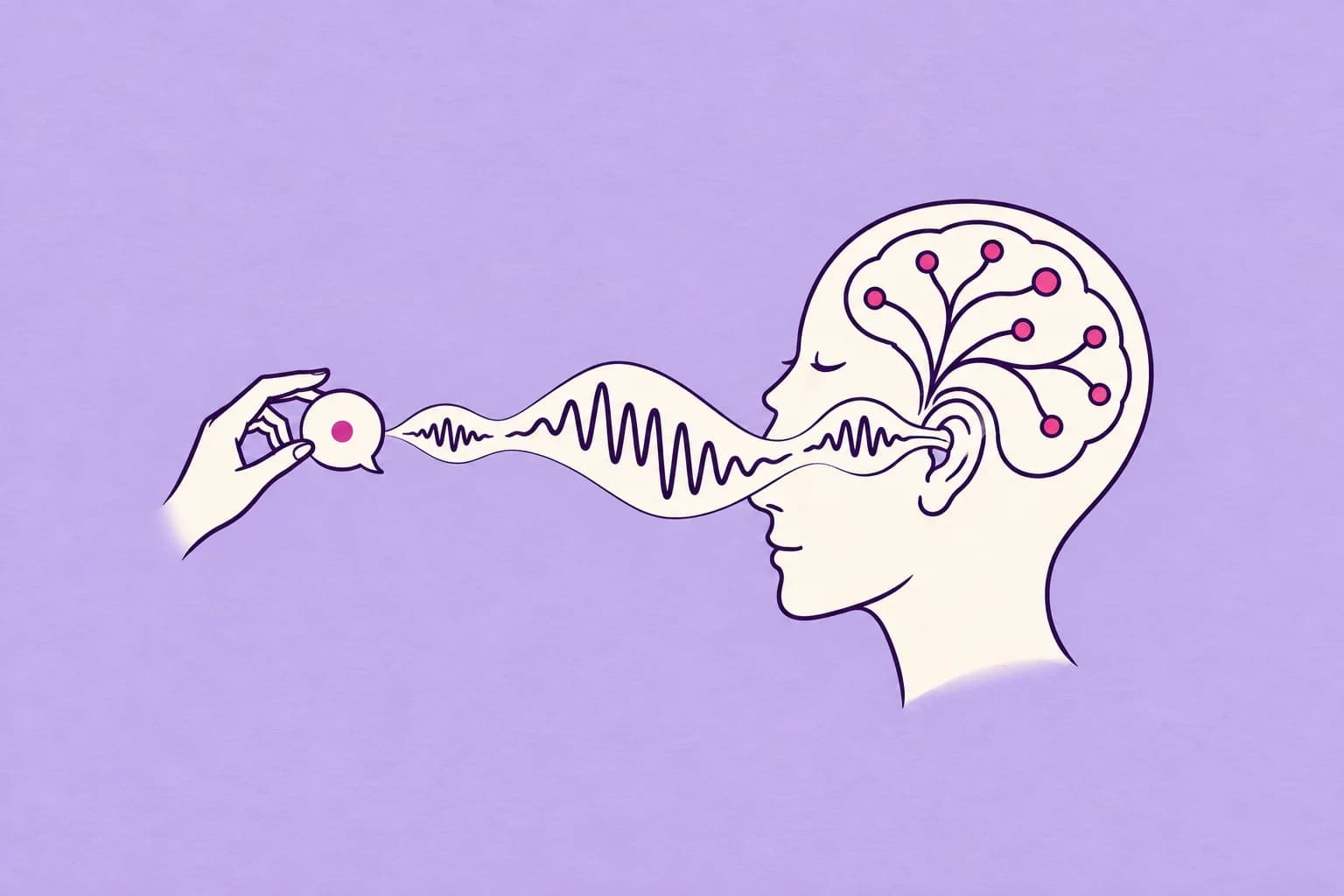
In a file-based speech workflow, your application waits for synthesis to finish before it plays the result. With streaming, audio starts travelling to your application while more audio is being made. A compatible player can begin consuming it as it arrives.
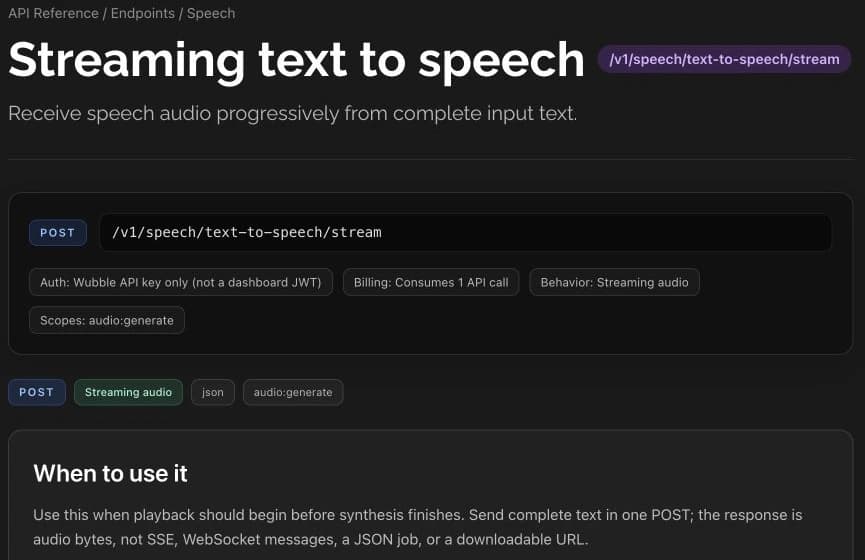
Your agent supplies a complete piece of reply text to POST /v1/speech/text-to-speech/stream. Wubble returns audio bytes over that same connection. The normal success path does not require a job-polling loop or a download link.
| Stage | What happens |
|---|---|
| Your application prepares the reply | Send the complete text for one utterance with a public Wubble voice ID. |
| Wubble synthesizes speech | Audio is delivered progressively as a streaming HTTP response. |
| Your player speaks | Consume the incoming audio without waiting to buffer the whole response. |
The endpoint is the speech-output part of your agent. Your application still handles listening, deciding what to say, turn-taking and interruptions. It accepts complete text in each request; it is not an open connection into which you continuously feed text tokens.
Connect Wubble at the point where your agent has an utterance ready. Actual time to audible speech depends on the text, network, service conditions and your player’s buffering. Measure that experience in your own application with the streaming API reference beside you.
Choose a voice that belongs
A voice can be clear and still feel wrong for the setting. A patient explanation, a cheerful welcome and a concise delivery update each ask for a different performance. Regional pronunciation matters too: the way an agent says a place name or a familiar phrase becomes part of how people experience it.
Wubble’s broader voice library offers 3,000+ studio-quality voices, giving teams room to explore different identities and localized accents. Choose for the people who will hear the agent, then evaluate the voice with the words they actually use.
For streaming, use the available, authorized voice IDs returned by List voices. The streaming endpoint currently accepts 32 language codes, including English, Hindi, Tamil, Malay, Indonesian, Filipino, Vietnamese, Arabic, Japanese, Korean, Chinese, Spanish, French and Portuguese. Streaming availability varies by voice and language, so check the catalog and test your selected pairing.
A useful audition script contains three things: an ordinary greeting, a sentence with local names or terminology, and a longer explanation. Listen for pronunciation, pacing and how easy the response is to follow. Keep the script the same while comparing voices so you can hear the difference in delivery.
For a multilingual agent, make voice selection a deliberate part of localization. A language code tells the endpoint what language to use; the voice you select gives the conversation its identity.
One request. One API call.
A helpful agent sometimes needs more than a one-line reply. A booking change might need two sentences; an onboarding explanation might need a paragraph. Wubble gives both the same billing unit when each fits into one request.
Each billable streaming TTS request consumes one API call under your plan. We do not meter that request by character, and we do not add a separate streaming surcharge. A longer reply within the endpoint’s input limit uses the same one-call unit as a short reply.
This is where call-based pricing can offer better value for longer responses: adding detail within one request does not increase its call count. Whether it lowers your total spend depends on your current rate, reply lengths, plan and allowance usage. Estimate it with your real conversations.
| What you generate | Billable API calls |
|---|---|
| One short confirmation in one request | 1 |
| One longer explanation in one request, within the input limit | 1 |
| Four replies sent as four separate requests | 4 |
Here, “call” means an API request, not an entire phone conversation. If an agent speaks ten times using ten requests, those are ten billable calls. Breaking a reply into additional requests also changes usage, so choose utterance boundaries for both conversational quality and your budget.
The current input limit is 5,000 UTF-16 code units per request. That is a technical text-length limit, not a character-based billing meter. Emoji and some other characters can occupy more than one code unit.
To estimate monthly demand, multiply expected conversations by average speech requests per conversation. Compare that total with the current API plans. Your effective cost per request depends on your plan and how much of its allowance you use. Streaming follows the same call-based pricing; there is no extra streaming line item to add.
The billing and usage guide explains allowance handling. Cancellation after audio has started may still consume a call; use the final request status when reconciling interrupted streams.
Try a real reply in the playground
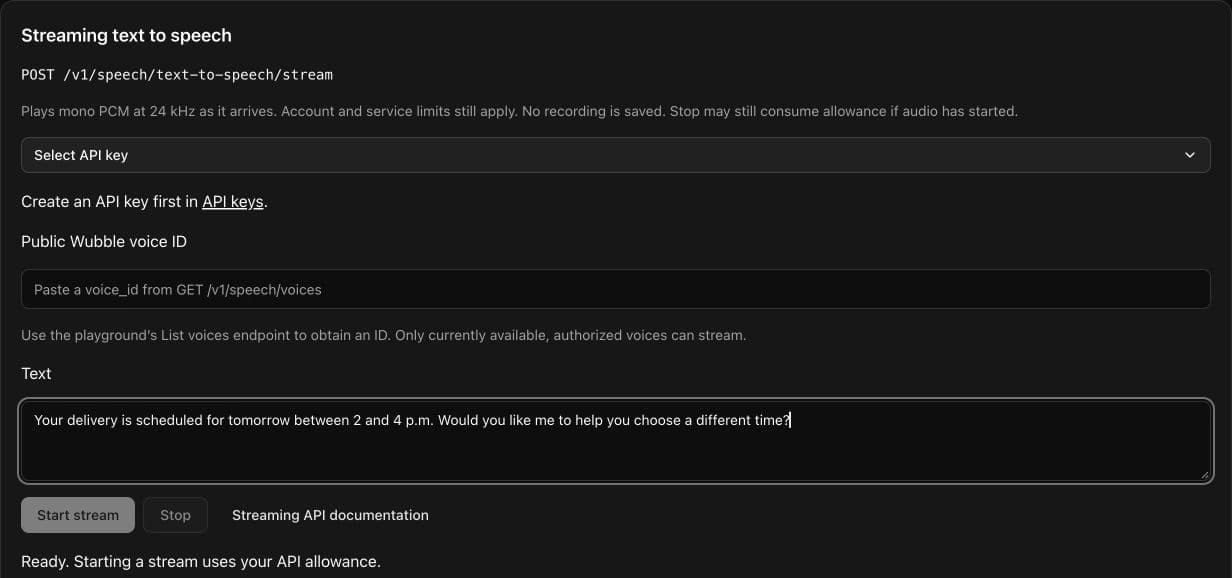
Start with a sentence your agent will actually need to say. For a delivery assistant, that could be: “Your delivery is scheduled for tomorrow between 2 and 4 p.m. Would you like me to help you choose a different time?” It is a better first test than a sentence chosen only to sound impressive.
- Sign in and open API keys. Create or select an active key with
audio:generatepermission and available API allowance. - Open the API playground. Use the List voices endpoint to obtain a public Wubble voice ID.
- Select Streaming text to speech in the endpoint menu. Choose your API key, paste the voice ID and enter your reply in the Text field.
- Press Start stream. The dedicated panel receives and plays PCM audio progressively. Use Stop if you need to interrupt the test.
- Review the first-audio timing and request metadata, then check the final request status before repeating an interrupted request.
The panel’s first-audio measurement records audio arrival through the playground relay. Audible playback also includes browser buffering. For your agent, evaluate the whole path from the end of the user’s turn to the moment the reply is heard.
Connect it to your agent
Once you have heard a voice with your own script, the request shape is small. Keep your API key on your server, send the selected voice ID and choose the audio format your player expects.
{
  "text": "Your delivery is scheduled for tomorrow.",
  "voice_id": "REPLACE_WITH_PUBLIC_WUBBLE_VOICE_ID",
  "model_id": "wubble_realtime_v1",
  "output_format": "pcm_24000",
  "language_code": "en"
}
Send this JSON to POST /v1/speech/text-to-speech/stream with your API-key authorization and a fresh Idempotency-Key for each new intentional request. Copy the complete JavaScript, Python or cURL example from the API reference; the sample above illustrates the body only.
Two output choices cover different player needs: mp3_44100_128 is the default MP3 format; pcm_24000 provides mono, signed 16-bit little-endian PCM at 24 kHz, without a WAV header. If your call stack needs another format or sample rate, adapt the audio in your application.
Read the successful response as audio bytes, and keep X-Request-ID for diagnostics. A client that waits for the entire response before playing it gives up the main benefit of streaming. Your player or server relay needs to consume and forward the audio progressively.
For interruption handling, stop local playback and cancel the request when your application decides the user has taken the turn. Do not automatically replay an uncertain stream: repeating an idempotency key returns a conflict, and a new request may consume another call. Check the request status first. The implementation notes cover errors, cancellation and capacity limits.
Make the voice part of the product
The same endpoint can support very different conversations. The useful question is what the listener needs at that moment.
| Experience | What to listen for |
|---|---|
| Customer support | Clear confirmations, patient explanations and a voice suited to the customer’s language and region. |
| Bookings and hospitality | Natural delivery of place names, dates, times and the details a guest needs to confirm. |
| Learning and onboarding | Instructions at a comfortable pace, with consistent pronunciation of the subject’s terminology. |
| In-app assistants | A recognizable voice that fits the product and can deliver both brief answers and longer guidance. |
Build a small set of representative exchanges and test them with people who know the target language and accent. Listen for the voice that makes the interaction easiest to follow. That is where a large voice library becomes a practical product decision.
Your first conversation starts here
Is there a separate charge for streaming?
No. Streaming TTS uses Wubble’s standard call-based API pricing. Each billable request consumes one API call, with no separate streaming surcharge. Check API pricing for current allowances and plan terms.
Can I stream text into the endpoint word by word?
This endpoint accepts complete text in one POST and streams the audio response. Your application decides when an utterance is ready to send.
Can I use any voice in the library?
Use the public voice IDs returned by List voices and confirm that your chosen voice is available and authorized for streaming. Test it with a supported language and your own script.
Can I use the speech in a commercial agent?
Wubble provides royalty-free generated audio, with commercial use governed by your plan and Wubble’s license terms. For larger volumes, concurrency requirements or a regional voice requirement, talk to our team.
Your first test does not need an entire contact center behind it. It needs one useful answer, a voice that fits your audience and a player that lets the speech arrive naturally.
Bring the next thing your agent needs to say. Try it in the API playground, then use the streaming TTS documentation to bring that voice into your product.